SCSS Calculator, Senior Citizens Savings Scheme Calculator
This guide explains the Senior Citizens Savings Scheme (SCSS) calculator, what it does, how to use it, and how the underlying calculations work. You will learn what SCSS is, why a calculator is useful for making retirement investment decisions, how the tool computes maturity and interest amounts, and practical tips for interpreting results. The SCSS calculator is particularly relevant for senior and super-senior citizens who want a simple way to estimate future cash flows from a government-backed, fixed-interest scheme. Using a calculator saves time, reduces arithmetic errors, and helps compare SCSS against alternative options when planning income in retirement. This guide focuses on the inputs you will typically provide (investment amount, tenure and interest rate), the formula used for computing maturity and interest for periodic interest payments, and what the results mean for cashflow planning. You will also find a concise FAQ addressing common concerns about how SCSS interest is credited and what assumptions the calculator makes. By the end, you will know how to run scenarios that reflect different investment amounts, tenures and interest assumptions so you can make more informed decisions about using SCSS as part of your retirement portfolio.
What is SCSS?
The Senior Citizens Savings Scheme (SCSS) is a government-backed investment scheme designed specifically for senior citizens and super senior citizens. It is structured to provide retirees with a reliable avenue to park savings under the aegis of a government-supported product.
A key feature of SCSS is that it provides fixed interest on the amount invested. Fixed interest delivers predictable returns over the deposit term, which helps household cash-flow planning and budgeting in retirement.
Interest under SCSS is credited periodically rather than only at maturity. In particular, interest payments are made quarterly, which can support regular income needs for retirees who depend on interest receipts as part of their monthly or quarterly funds.
How to Use the SCSS Calculator?
Input the total sum you plan to deposit in SCSS. This is the starting capital on which interest will be computed.
Choose the length of time you intend to keep the investment. Tenure determines how many interest payment periods the principal will accumulate earnings over.
Enter the annual fixed interest rate to be used for the calculation. The calculator uses this rate along with the payment frequency to estimate interest receipts and the maturity outcome.
SCSS Maturity Amount and Interest Amount Formula
The calculator computes two primary outputs: the periodic interest amount (what you would receive each payment period) and the overall maturity amount (the sum of principal and accrued interest if that is applicable under the chosen scenario). Because SCSS pays interest quarterly, the computation converts the annual rate into a rate per interest period and applies that to the principal each quarter.
A general way to think about the math is to treat each quarter as a separate interest period and apply the periodic rate repeatedly across the number of quarters in the chosen tenure. The calculator therefore needs three inputs, principal, the annual rate (expressed in decimal form) and the tenure, and it uses the quarterly payment frequency to divide and apply the annual rate across periods.
Practically, the results you get from the SCSS calculator are estimates based on the inputs and the assumption of quarterly interest crediting. The calculator does not replace official account statements; it provides quick projections to support planning and comparison.
SCSS Maturity Amount Example
Instead of a numeric example, consider how changing each input affects the output: increasing the principal linearly increases the periodic interest amount and the projected maturity; increasing the assumed annual interest rate raises both periodic receipts and accumulated value; and extending the tenure increases the number of quarterly interest credits, which increases total interest received over the life of the investment.
These relationships mean the SCSS calculator is useful for running scenarios. For instance, you can compare short versus longer tenures at the same interest rate to see how total interest accumulates, or keep tenure fixed and vary the assumed rate to measure sensitivity to rate changes. Because interest is paid quarterly, the timing of receipts supports periodic income planning rather than a single lump-sum payment at maturity.
Benefits of Using SCSS Calculator
The SCSS calculator saves time and effort by automating repetitive arithmetic, converting annual rates into per-period rates, and summing interest across all quarters in the chosen tenure. This reduces the chance of manual errors and delivers consistent estimates for decision-making.
It also helps with clear investment planning: by showing periodic interest amounts and projected maturity values, the calculator assists retirees in aligning SCSS receipts with their regular cash-flow needs. Because SCSS is a fixed-interest, government-backed option, the calculator is particularly handy for comparing its predictable returns with other instruments that may have different risk-return profiles.
Finally, using the calculator to run multiple scenarios enables comparison across different investment sizes, assumptions about prevailing interest rates, and tenures, making it easier to choose an approach that fits your retirement income objectives.
Frequently Asked Questions
Is SCSS a government scheme? Yes, SCSS is a government-backed investment scheme specifically designed for senior citizens and super senior citizens.
Does SCSS pay fixed interest? Yes, SCSS provides fixed interest on investments, which makes returns predictable for planning purposes.
How often is interest credited? Interest under SCSS is paid quarterly, so recipients receive periodic interest payments rather than only at maturity.
Can I rely on the calculator for final account figures? The calculator produces estimates based on the inputs and the assumption of quarterly interest payments; it is useful for planning and comparison but should not be treated as a substitute for official bank or post office statements and confirmations.
An SCSS calculator is a practical tool for senior citizens to estimate periodic interest receipts and projected maturity under a government-backed, fixed-interest scheme that pays interest quarterly. Use the calculator to model different principals, tenures and rate assumptions to see how they affect your retirement cash flows, and always corroborate estimated figures with official account documentation when making final decisions.
Frequently asked questions
What is the Senior Citizens Savings Scheme (SCSS)?
SCSS is a government-backed fixed-income investment scheme designed for senior citizens and super senior citizens (typically aged above 60 and 75) that pays a fixed interest on deposits. It provides a government-set interest rate (example used here is 8.2%) and is intended to give stable income and capital safety for retirees. The scheme generally has a defined tenure (commonly illustrated as 5 years in examples) and pays interest periodically, often quarterly, making it suitable for those seeking regular income. Because the rate is set by the government and reviewed periodically, the actual rate may change over time.
How do I use the SCSS calculator to estimate my returns?
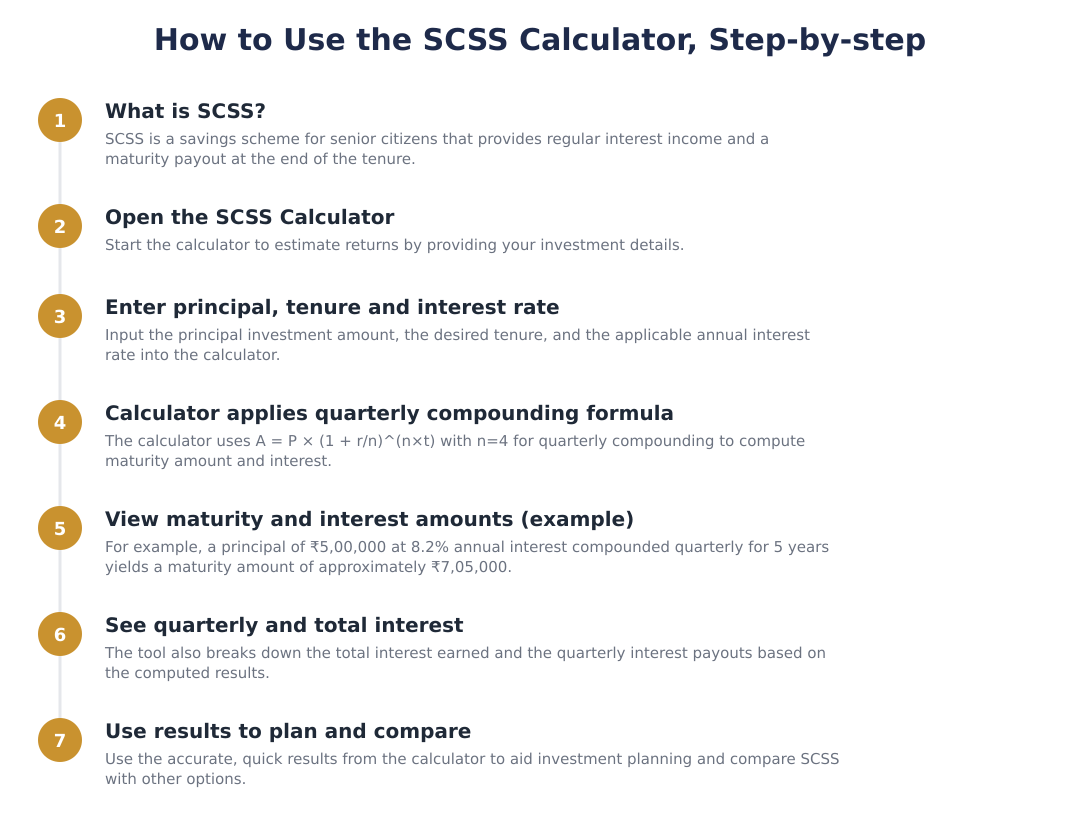
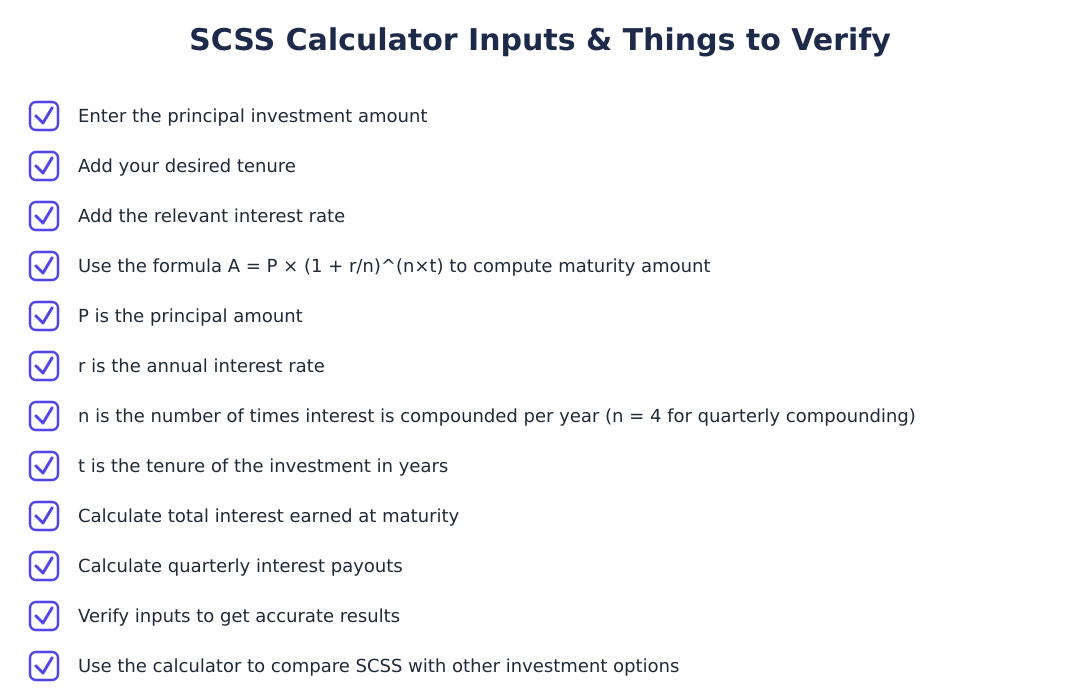
To use the SCSS calculator you enter the principal investment amount, select the tenure, and add the relevant annual interest rate; the calculator then shows maturity amount, quarterly interest and total interest earned. The tool applies the compound interest formula with quarterly compounding (n = 4) to compute the maturity value and also provides the periodic (quarterly) interest estimate. This method removes manual calculation errors and gives a clear picture of earnings over the selected tenure, typically illustrated with a 5-year example. It is quick and simple, requiring only a few inputs to compare SCSS with other investment options.
What formula does the SCSS calculator use to compute maturity amount?
The SCSS calculator uses the compound interest formula A = P × (1 + r/n)^(n×t) where A is maturity amount, P is principal, r is annual interest rate, n is number of compounding periods per year (4 for quarterly), and t is tenure in years. For SCSS the calculator typically uses n = 4 because interest is compounded quarterly and paid out on a quarterly basis. Plugging in the values gives you the total maturity amount after the chosen tenure and helps derive total interest earned and quarterly interest amounts. This formula ensures accurate results for schemes with periodic compounding like SCSS.
Can you show an example calculation for SCSS maturity amount?
Yes, for example, if P = ₹5,00,000, r = 8.2% (0.082), n = 4, and t = 5 years, the maturity amount A = 5,00,000 × (1 + 0.082/4)^(4×5) = 5,00,000 × (1.0205)^20 ≈ ₹7,05,000. This result illustrates how quarterly compounding over 5 years increases the invested amount from ₹5,00,000 to about ₹7,05,000 given an 8.2% annual rate. From that maturity figure you can compute total interest earned (≈ ₹2,05,000) and estimate quarterly interest by dividing the annual interest or using the compound intermediate values. Change any of the inputs (principal, rate, tenure) in the calculator to see different outcomes.
Does SCSS pay interest quarterly and how is that reflected in the calculator?
Yes, SCSS interest is calculated with quarterly compounding and the calculator reflects this by using n = 4 in the compound interest formula, yielding quarterly interest figures. The tool computes the periodic interest amounts you would expect each quarter and aggregates them to show total interest over the tenure and the final maturity amount. Showing quarterly interest helps investors who rely on periodic payouts for cash flow planning, because you can see both the per-quarter income and the cumulative growth. If you need exact cash flows, the calculator’s quarterly breakdown gives a close estimate based on the entered rate and tenure.
What are the benefits of using an SCSS calculator?
An SCSS calculator saves time by quickly estimating maturity and interest without manual math, and it gives accurate results by applying the correct quarterly compounding formula. It is easy to use, you only need to enter principal, tenure and interest rate, and helps with investment planning by showing how much you could earn at maturity and per quarter. The calculator also serves as a comparison tool to evaluate SCSS against other investment options and reduces the chance of calculation errors when projecting retirement income. These benefits make it useful for senior citizens deciding whether SCSS fits their financial goals.
How do I interpret the maturity amount shown by the SCSS calculator?
The maturity amount shown by the SCSS calculator is the estimated total value of your investment at the end of the selected tenure after applying quarterly compounding at the entered interest rate. It includes your original principal plus all interest accrued over the tenure; for example, a ₹5,00,000 principal at 8.2% for 5 years gives a maturity of about ₹7,05,000. To understand earnings, subtract the principal from the maturity amount to get total interest earned, and use the calculator’s quarterly breakdown to see periodic income. Keep in mind the calculator uses the input rate and tenure exactly, so if rates change in reality, actual outcomes will differ.
Can the SCSS calculator handle different tenures and rates?
Yes, the SCSS calculator can handle different tenures and interest rates by plugging those values into the compound interest formula with n = 4 for quarterly compounding. You simply enter your chosen tenure (in years) and the current or assumed annual interest rate, and the calculator will compute maturity amount, total interest and quarterly interest for those inputs. This flexibility lets you model scenarios such as the standard 5-year term used in examples or alternative durations if applicable. Remember that the example in the guide uses a 5-year tenure and 8.2% rate, but you can change these to see other outcomes.
Need help staying Calculators compliant?
MoneyGence's AI Finance OS tracks your compliance, wallet share, and finances in one place, built for agencies and growing businesses.
Get started with MoneyGence