Invoice Software vs Excel vs Word: Best Billing Option for Businesses
This guide compares three common invoicing options, using an Excel invoice template, a Word invoice template, and dedicated billing software, to help you decide which approach fits your business needs. You will learn the practical differences in ease of setup, flexibility of layout, potential for automation, data management and safety, and how each option typically affects daily billing workflow. The aim is to give a clear framework for evaluating trade-offs so you can choose a method that balances convenience, control, and scale. Whether you are a sole proprietor sending occasional invoices, a small business wanting consistency and brandable documents, or an organisation that expects frequent billing and wants streamlined processes, this guide will clarify what to expect from each approach and the operational considerations, such as template customization, error risk, mobility, and record keeping, that matter when you bill customers. By the end you should be able to identify which option aligns with your priorities: low setup effort and familiar tools, flexible document layout with manual control, or features that support recurring billing and automation. The discussion focuses on practical implications rather than vendor-specific claims, so you can apply the comparison to a range of templates and software solutions available in the market.
Billing or Invoice Excel Template
Excel invoice templates are commonly used because they live inside spreadsheet software that many people already know. They let you design rows and columns for line items, taxes, subtotals and totals, and they support simple formulas so basic calculations can be automated within the document. For users comfortable with spreadsheets, this can reduce repetitive calculation errors while still keeping the underlying file fully editable.
Customisation is straightforward: you can add a business logo, contact details, invoice date and number fields, item descriptions and amounts, and payment terms in a layout you control. However, maintaining consistent formatting and ensuring that invoices are stored and backed up requires a manual process. If you rely on local files, you need to establish a routine for naming, versioning and safekeeping invoices to avoid loss and to simplify retrieval for accounting or tax purposes.
Billing or Invoice Word Template
Word invoice templates are document-oriented and focus on presentation. They are useful when you need a polished, printable invoice layout with flexible text formatting and control over spacing and branding elements. Templates in a word processor can be edited to add or remove fields, resize sections, and tailor the visual style to match your business stationery.
Because word documents are primarily designed for text, numerical calculations are typically manual or require copying figures from another source. This makes them suitable for occasional invoicing or situations where the emphasis is on how the invoice looks rather than on automating calculations or handling many transactions. Like spreadsheet files, Word documents require a deliberate storage and versioning practice to keep records organised and retrievable.
Billing Software
Dedicated billing software is built specifically for creating, sending and managing invoices. Such tools typically focus on automating repetitive tasks like invoice numbering, calculating totals, applying taxes, and maintaining a searchable invoice history. They often include features intended to reduce manual effort and to streamline invoice workflows from creation through to payment follow-up.
Billing software solutions may also offer functions that support remote access, automated reminders, and integrations with other financial systems, which can be helpful when businesses need to scale billing processes or require consolidated reporting. Choosing a software solution usually involves considering the balance between functionality and the learning curve required to adopt a new system, as well as how records are stored and accessed for accounting and compliance purposes.
Billing or Invoice Excel Template vs Billing or Invoice Word Template vs Billing Software
When deciding among these three options, consider your primary priorities. If you value familiarity and fine-grained control of formulas, an Excel template may be preferable. If the visual presentation of the invoice matters most and you issue invoices infrequently, a Word template can deliver a clean, print-ready result with simple editing. If your focus is on efficiency, reducing repetitive manual work, and managing many invoices or recurring billing, billing software generally offers workflow advantages.
Think about how invoices will be stored and backed up, who will prepare them, and how often they are issued. Manual templates require a documented process for file naming, backups and version control. Software often centralises storage and can reduce the administrative overhead of maintaining invoice records. Also weigh how much time you can invest in setup and training versus the ongoing time saved by automation.
Finally, evaluate the extent to which you need features beyond basic invoicing: multi-document management, automated reminders, mobile access or integration with accounting systems. These broader needs often drive businesses toward specialised billing solutions, while smaller users or those with simple needs may prefer the low-friction approach of a spreadsheet or word template.
Choose the option that matches your billing volume, need for automation, and preference for control versus convenience. Excel and Word templates are low-cost and familiar choices that work well for occasional invoicing and highly customised layouts, while billing software is typically better suited to organisations that want streamlined processes, centralised records and features that reduce manual bookkeeping effort.
Frequently asked questions
Which is better for small businesses, an invoice Excel template, Word template, or billing software?
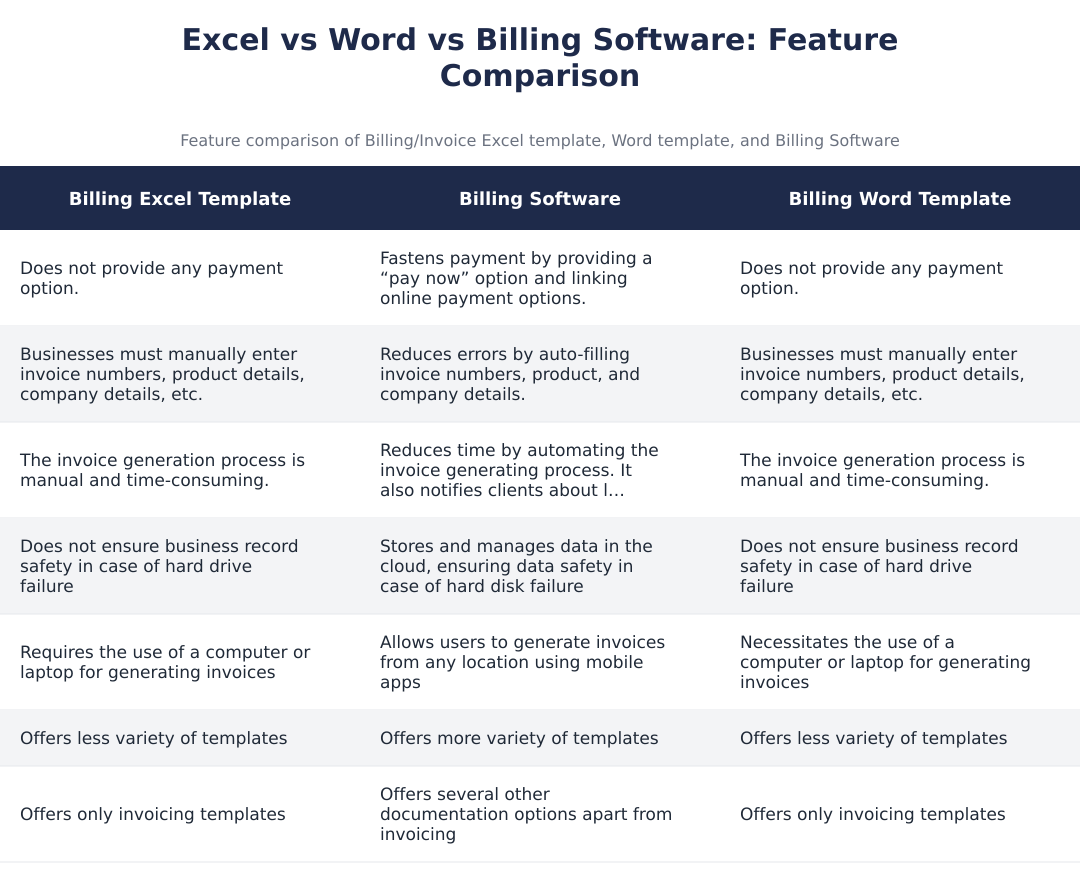
Billing software is generally better for small businesses looking to scale and save time. It automates invoice generation, reduces manual errors by auto-filling invoice numbers and product details, and often provides online “pay now” options that speed up payments. Unlike Excel or Word templates, billing software stores data in the cloud for record safety, sends payment reminders for late payments, and offers mobile apps so you can invoice from anywhere. However, very simple or one-off invoices can still be handled with Excel or Word if you have limited needs or budget constraints.
What are the main disadvantages of using Excel invoice templates compared to billing software?
The main disadvantages of Excel invoice templates are manual entry and lack of automation. With Excel you must manually enter invoice numbers, product details, and company data, which increases the risk of errors and makes the process time-consuming. Excel invoices do not provide integrated payment options or automated payment reminders and they do not protect data if your hard drive fails unless you manually back up files. Excel also typically offers fewer template varieties and lacks mobile invoicing capability compared with billing software.
Can I include an online payment link in invoices created with Word or Excel templates?
No, standard Word and Excel invoice templates do not provide built-in online payment options. You can manually add a payment URL or payment instructions, but the templates won’t include clickable “pay now” buttons or process payments directly. Billing software, by contrast, links online payment gateways and provides pay-now functionality that speeds up collections and can track payment status automatically. If you need integrated payments, choose billing software or embed a payment link and manage payments separately.
How do I create and save an invoice using an Excel or Word template?
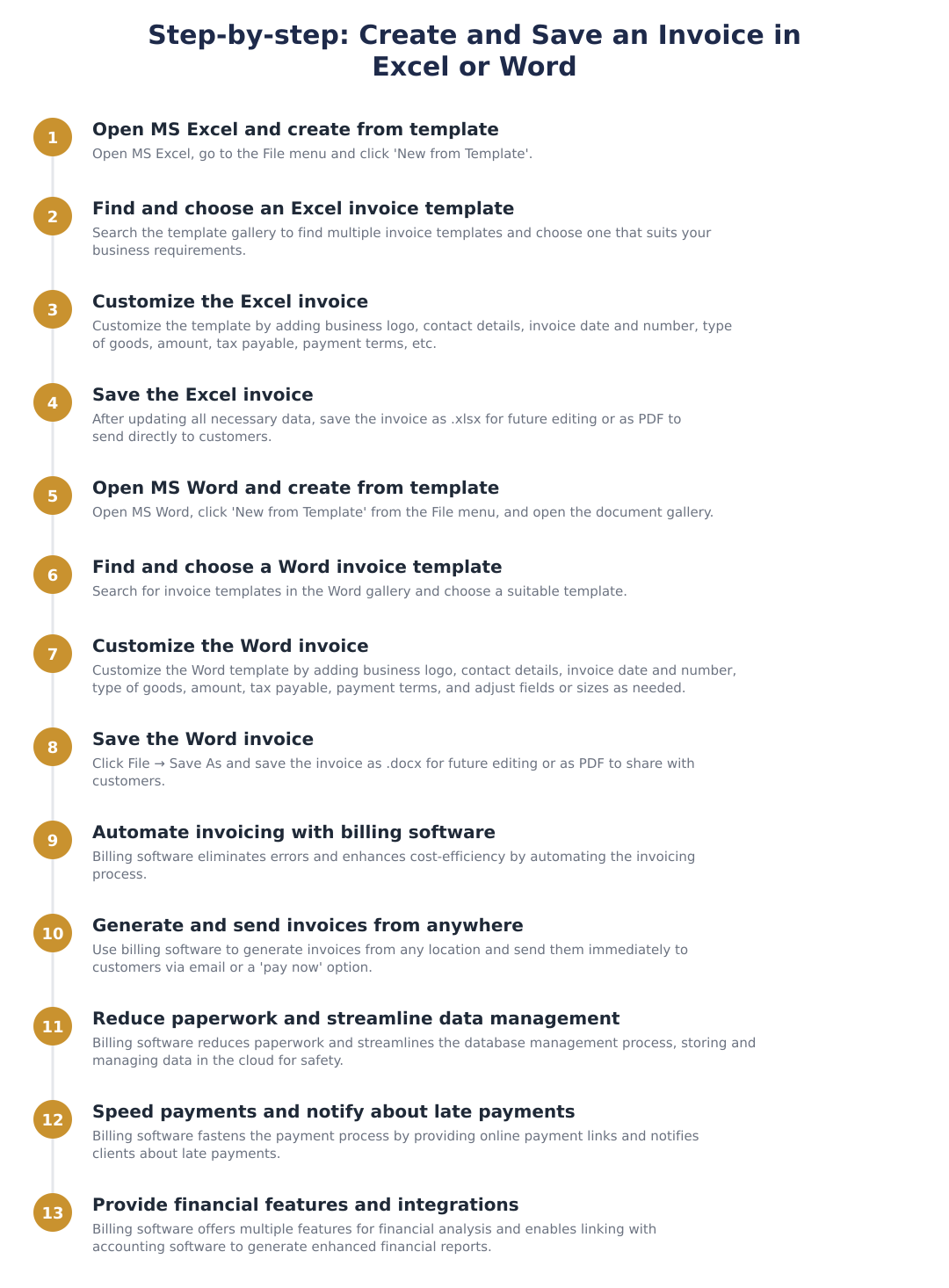
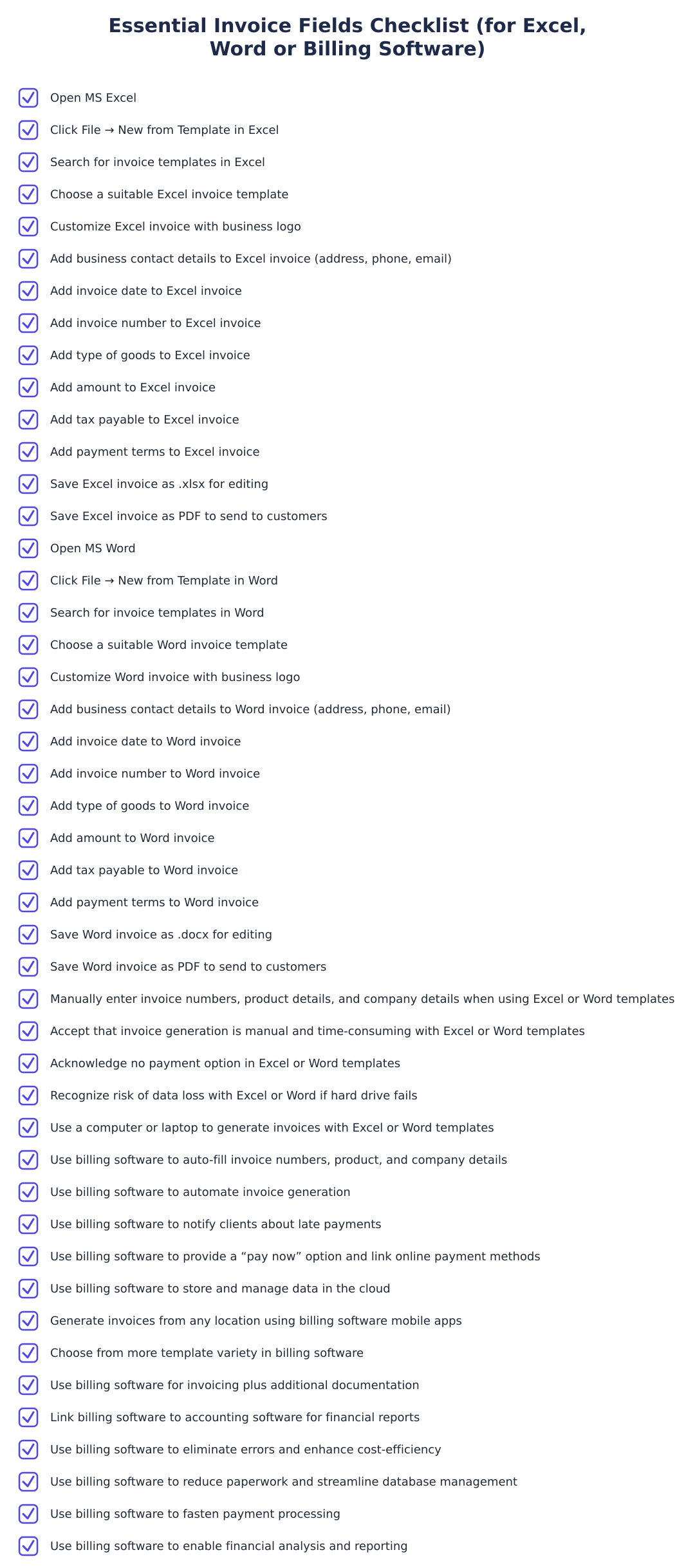
To create and save an invoice in Excel, open MS Excel, go to File → New from Template, choose a template, customize fields (logo, contact details, invoice date/number, goods, amount, tax, payment terms) and save as .xlsx for future edits or PDF to share. To create an invoice in Word, open MS Word, choose New from Template, pick a suitable invoice template, customize the same invoice fields, then save as .docx for edits or export as PDF to send to customers. Both methods let you tailor fields to your business needs but require manual updating of invoice numbers and data unless you build automation.
Will billing software help reduce late payments and how?
Yes, billing software helps reduce late payments by automating reminders and offering online payment options. Most billing systems send automatic payment reminders or overdue notifications to clients, and provide “pay now” links that allow customers to pay immediately via integrated payment gateways. These features shorten the payment cycle compared with manual invoices from Word or Excel, which require you to chase customers and do not track payment status automatically. Some software also applies late fees automatically and records payment history for follow-up.
Does billing software keep my invoice records safe if my computer fails?
Yes, most billing software stores invoices and records in the cloud, protecting data if your local hard drive fails. Cloud storage ensures business records are accessible from any device and backed up by the provider, whereas Excel and Word files stored only on a local computer are at risk of loss without manual backups. Additionally, cloud-based billing software often includes role-based access, encryption, and audit logs for better data security and compliance. Always confirm the vendor’s backup, security policies, and export options before subscribing.
Do Excel or Word invoice templates offer as many layouts and documentation features as billing software?
No, Excel and Word templates generally offer fewer template varieties and documentation options than billing software. While you can customize templates in Word or Excel (resize fields, add logos, change sections), billing software typically provides multiple pre-built templates, additional documents beyond invoices (estimates, credit notes, payment receipts), and standardized formatting for compliance. Software also automates content like client details and product catalogs, saving time compared with manual template edits. If you need varied templates and extra documentation types, billing software is more feature-rich.
Can I use billing software on mobile like Excel or Word?
Yes, many billing software solutions offer mobile apps so you can generate invoices from anywhere, unlike Excel or Word which typically require a computer for full functionality. Mobile billing apps let you create and send invoices immediately, capture signatures or photos, and sync data to the cloud so records stay up to date across devices. Excel and Word files can sometimes be edited on mobile office apps, but they lack the automation, payment links, and client notifications provided by dedicated billing apps. For on-the-go invoicing, a cloud-based billing app is the more practical choice.
What are the cost and complexity trade-offs between using templates and buying billing software?
Templates in Word or Excel are low-cost or free but require manual effort and have limited automation, while billing software involves subscription costs but saves time through automation and additional features. Using templates suits micro businesses or freelancers with simple needs and tight budgets, but as transaction volume grows the manual workload and error risk increase, making software more cost-effective long term. Billing software also adds value through payment gateway integration, analytics, cloud backups, and multi-document support, so weigh subscription fees against time saved and faster collections.
Need help staying Finance Templates compliant?
MoneyGence's AI Finance OS tracks your compliance, wallet share, and finances in one place, built for agencies and growing businesses.
Get started with MoneyGence